+1 for what adrian_b answered above.
All the promotion are for free open source projects and none of them is profitable.
I think this is totally fine, people like to know about alternatives and all these tools are for the purpose of learning and making parametric CAD more approachable to users. They have same goal with different implementation.
My particular immediate use case would be to export the board outline and mounting holes from a kicad project (SVG or DXF, whatever works) and build a chassis for it. Obviously I can do this in freecad but I've been looking for an intuitive cad-as-code system to check into git instead. So this would be awesome!
While not code as CAD, Dune 3D has the creation of enclosures for electronics projects as its _raison d’être_, and has a facility for Python scripting:
Replicad is designed primarily to be used as a library with the web editor as a helper.
FluidCAD is designed to be used as full CAD package code + UI. I've outlined some of my motives in recent post: https://news.ycombinator.com/item?id=47721997
I have added a caching mechanism; objects are computed only when their parameters change. When an object change, all objects after it will recompute. This will probably need to be revised in future with more efficient algorithm to find what objects are affected by the change and recompute only those.
Yep, topological naming solving is a hard problem to solve. It took FreeCAD many years to get it to work correctly. That's why I went with indices for this version. You can also use filters like extrusion.endFaces(face().arc()) to get only arc edges.
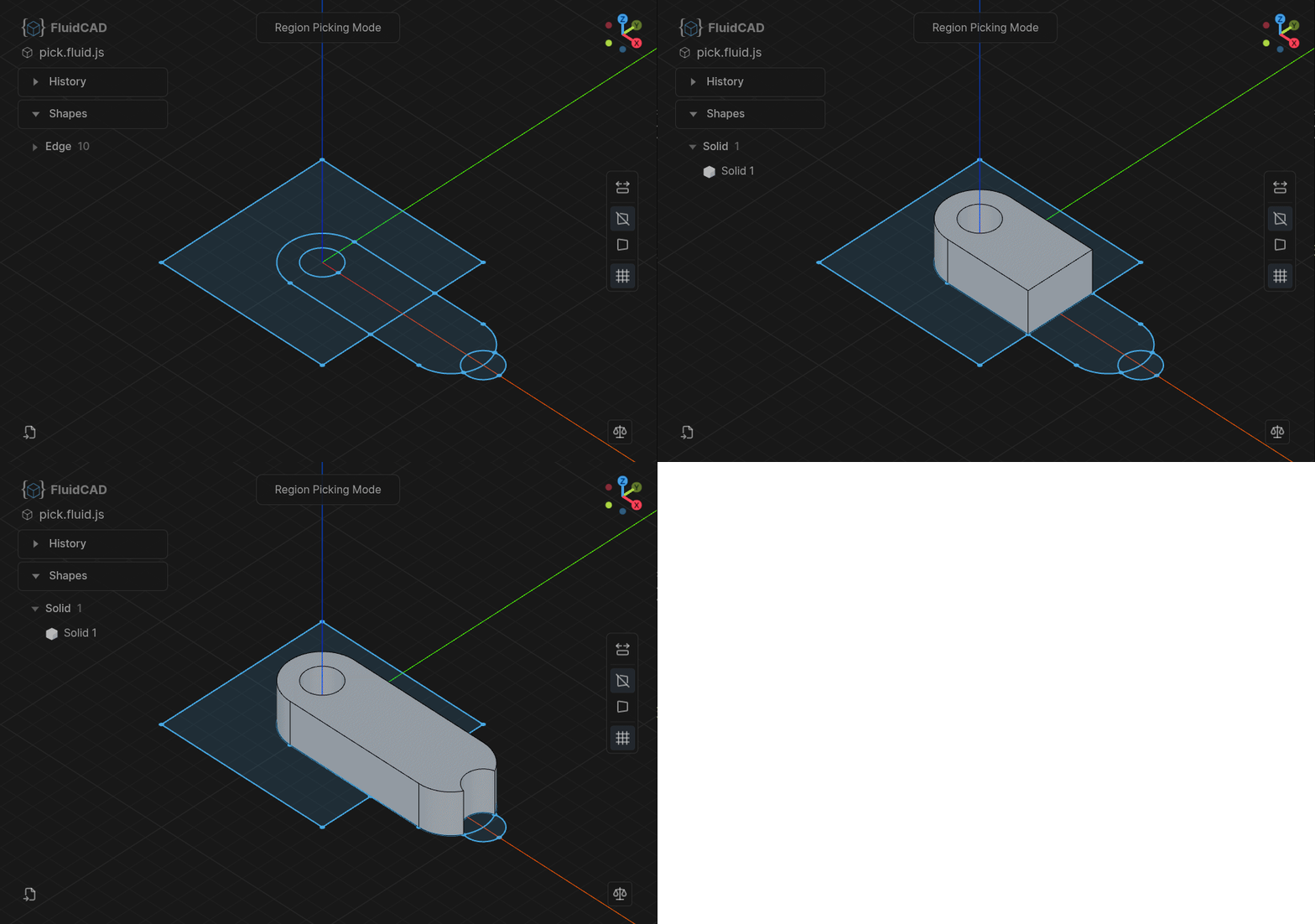
When the user click on a region we insert a 2D point, then the extrude feature will find the nearest face.
I have experimented with adding this picking logic to selections too select().pick() which will probably be merged in future releases.
The interactive region extrude feature is designed specifically for fast modeling at the expense of making the model "not so parametric". When user pick a region, the raycasted point is inserted/hardcoded in the code. e.g extrude(100).pick([100, 100])
So if the sketch dimensions change, there is a chance the point will fall outside the region boundaries which will break it.
It is preferred to use proper boolean operations in sketch mode to define regions while keeping it parametric.
The interactive region extrude is there for when you want fast modeling/prototyping.
The constraints solving took a good amount of thinking while designing FluidCAD. At first I tried to make it all declarative where user just create unconstrained geometries then define constraints, something like:
const l1 = line();
const c1 = circle();
// define constraint
l1.length(100).position(x, y).tangentTo(c1)
...
Then I decided against this idea because it results in too much typing + the constraint solver implementation is not trivial and there is not much web based open source solvers. I went with a mixed approach instead between declarative and imperative. https://fluidcad.io/docs/guides/sketching/constrained-geomet...
you can also sketch on faces sketch(extrusion.endFace(), ...) which will extract the plane from face and put the starting point on the center for convinience.
Inspired by yes, it was one of the ones I tried. I like your approach to selection eg endFace, intuitive selection is definitely one of the trickier parts of a code based approach.
Assemblies will come but not anytime soon. I did some research and tests and it is going to be a challenge. You can still add multiple parts in one scene but no actual joints implementation.
Based on opencascade wasm.
Features in the docs.
Api coming soon.
No it was not, I started this before I even started using coding agents. It took many iterations and rewrites before settling on the current shape. After building the core features I started using claude to add more features, improve test coverage and generte docs.


reply